Badly generated numeric model on cross section


I created GM and cross section with it looks fine, but numeric model on the same cross section is generating over the topography (just model is fine).
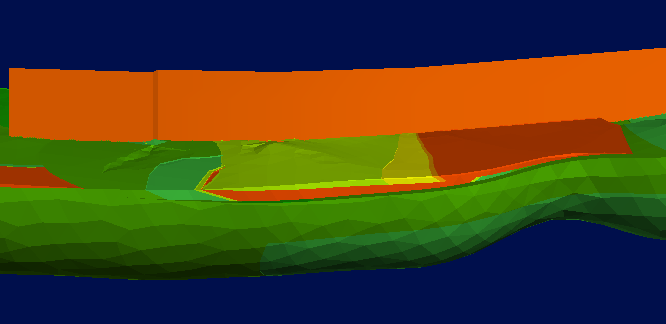
Why anything was generated over the topography and the model on the cross section?
Best Answer
-
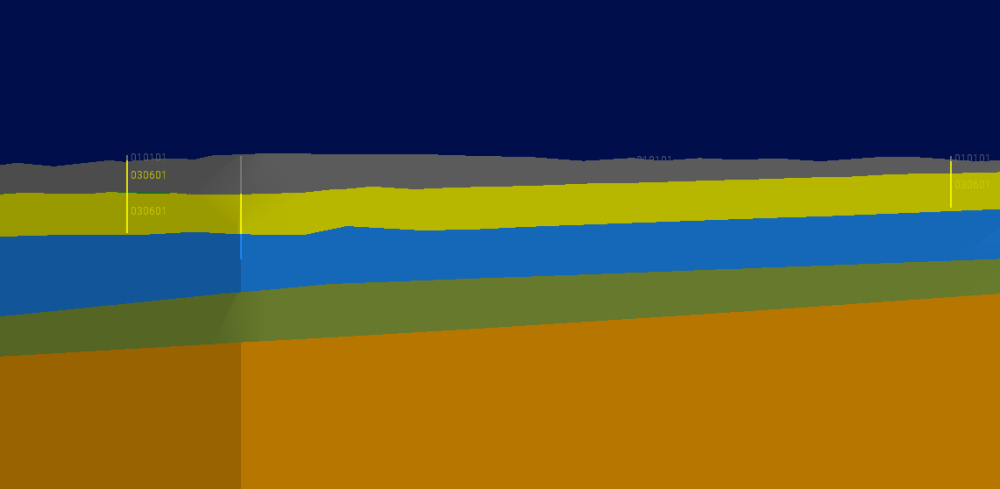
I tried to change parameteres in this tab

I changed total siil, base range and nugget.
And now it works :)0
Answers
-
Check in the numeric model 'boundary' tab that the tick box next to 'Use topography' is selected. It's not always on by default.
0 -
"Use topography" is only an option creatign geological model, not in numeric, but its connected.
Also, as you can see on my screenshot, numeric model was created well, only cross sections creating polygons above the topography.0 -
Hi,
It's a little difficult to see from your snapshot what's going on. which parts are the GM volumes and which is the numeric model? I can't tell which part is the cross section. I definitely have the Use Topography option in the boundary tab of RBF and RBF interpolant numeric models (version 2025.3.1).
0 -
I see, you're using a multi-domained RBF which is based on model volume extents so there's no options to add more boundary information - it's from the base Geological model. If the GM is clipped to topo then so is the numeric model. It looks like something else is overprinting the numeric model section slice in the scene view - maybe double-check the section layout?
0 -
Hi,
Which version of Leapfrog are you using? I haven't managed to recreate this in version 2026.1.
Is the GM used in the numeric model definitely the one you are viewing in the scene? And do you have 'Use topography' ticked in the GM boundary?
0 -
Hi Annabel
I have 2024.1.2 version.
I have only one GM in this Project so i'm sure choose correctly the GM for numeric model :)
And i checked the "use topography" box in GM.0 -
Very strange. Is it working ok for you now or are you still having issues with it?
If issues are still happening, you could email the support@seequent.com and we can do some investigating and see what may be causing it.
1 -
For now it works quite well.
But i saw that the problem came back randomly during my work…
1



Categories
- All Categories
- 300 Community
- 3 Get Started
- 17 Latest Releases
- 16 Member Spotlight
- 42 Learning
- 1.1K Products
- 565 Geology
- 538 Leapfrog
- 1 Volsung
- 26 Visible Geology
- 36 Data Management & Collaboration
- 14 MX Deposit
- 13 Central
- 9 Imago
- 136 Geotechnical
- 136 GeoStudio
- 332 Geophysics
- 321 Oasis montaj
- 1 Workbench
- SPIA
- 10 Res2DInv & Res3DInv
- 3 Evo
- 27 GX Developer