
Grid challenge: Put what you've learnt into practice

To wrap up today’s Oasis montaj Mastery session, we’ve got a quick hands‑on challenge for you!
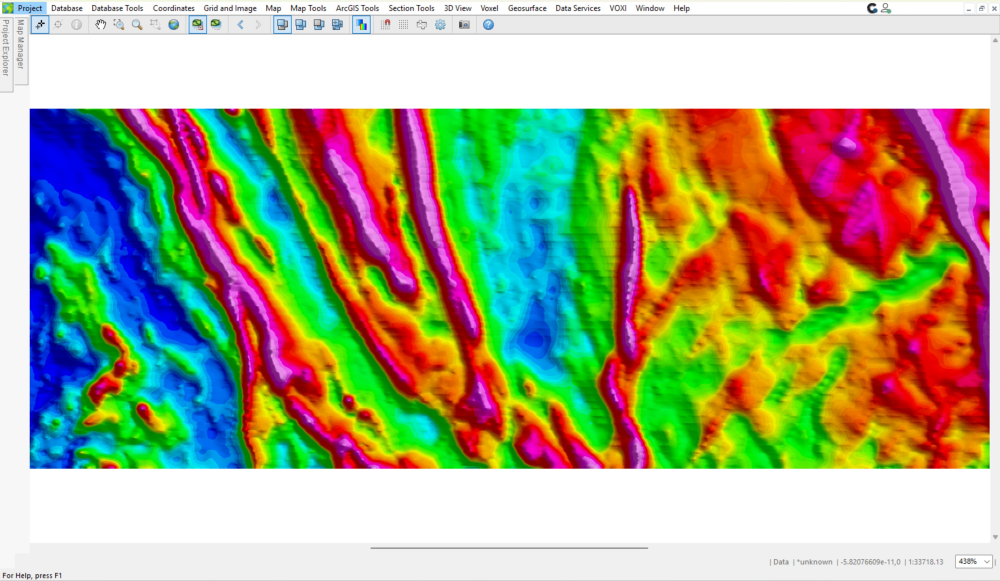
The grid below contains east–west trending artefacts. Your task is to identify what’s causing them and re‑grid the Mag channel using the provided data to create a cleaner result.
✅ How to join in
- Download the project and open the file:
Gridding Challenge.gpf in
👉 Download the project by clicking on this link
2. Fix the grid:
Use the ideas from the session and the supplied database (Mag.gdb) to improve Mag.grd
3. Share your result:
a. Post a zoomed‑in screenshot of your improved grid in the comments.
b. If you can, please briefly outline your approach in 3–5 bullet points, describing the issue you identified and the steps you took to improve the grid.
🎁 Prizes!
The first 10 enhanced grids submitted as comments under this discussion will receive Seequent merchandise packs, which will be delivered to them.
Give it a go! We look forward to seeing what you come up with! 🚀
Comments
-
-
Thank you, Victor, for the insightful seminar!
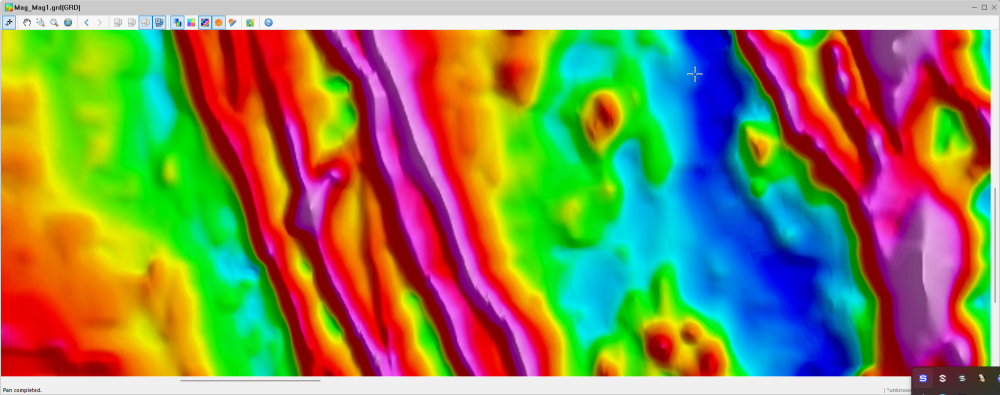
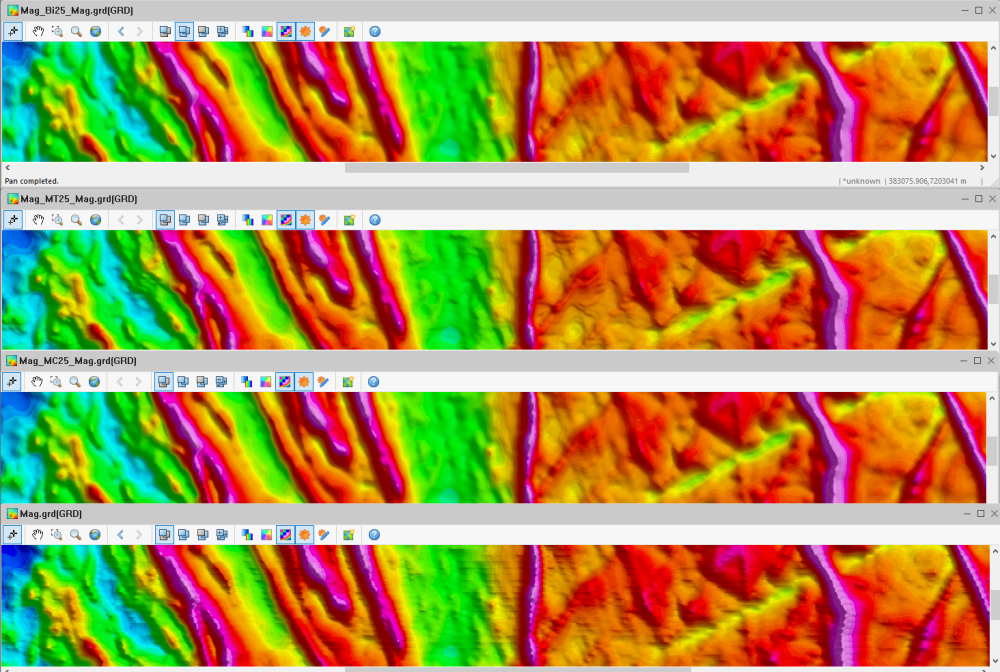
The grid is fixed by using the bi-directional and multi-trend gridding methods, which are compared with the original grid that used the minimum curvature method. The E-W artifacts, probably caused by poor data leveling, have been eliminated (first screenshot).
Knowing that the line spacing is 100 m, a grid cell size of 25 m was used, while a trending factor of 85 was used to create the multi-trend grid.
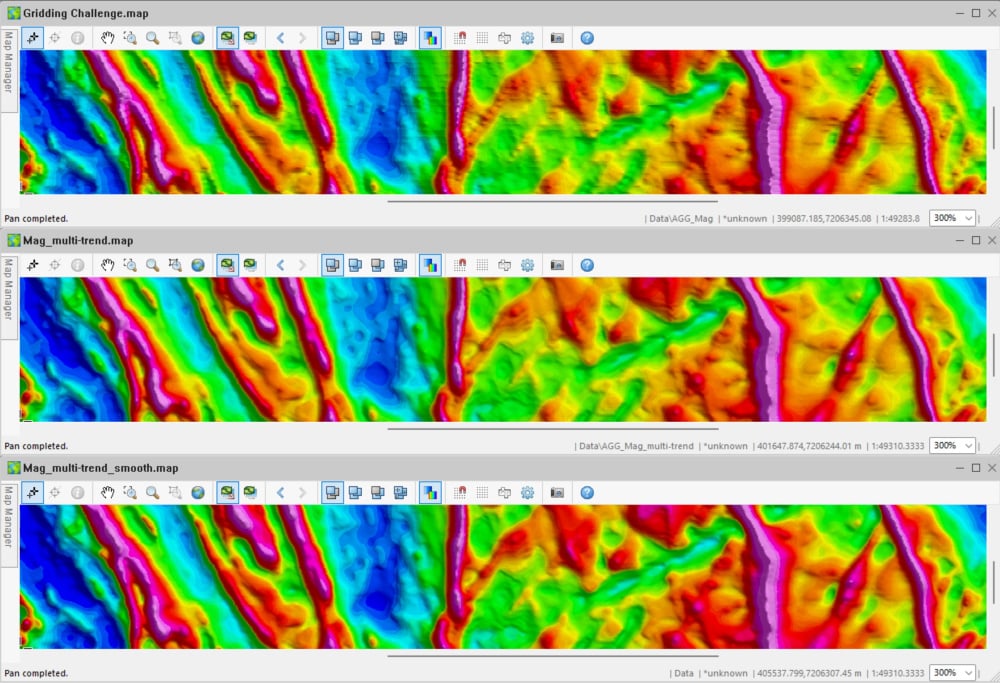
Also, a multi-smooth factor of 20 was applied to enhance the NNW-SSE-to-NNE-SSW linear trends in the multi-trend grid further (second screenshot).
In this example, the multi-trend gridding method provides a better image of the geologic features of interest in comparison to other gridding methods.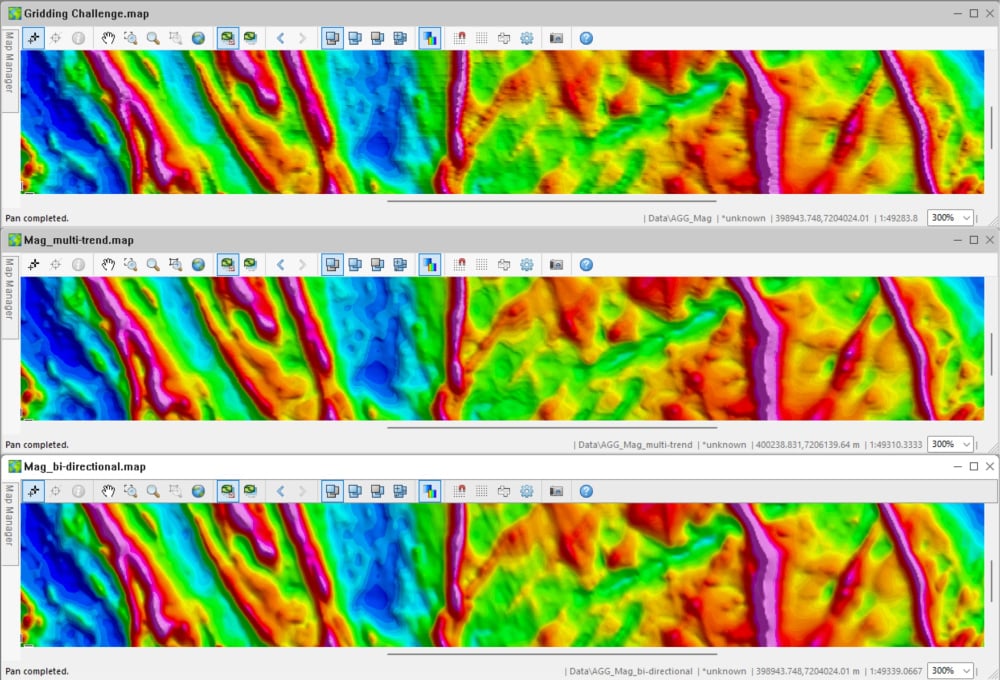
 2
2 -
I have attempted to correct the grid using the provided database (Mag.gdb) in order to improve our Mag.grd file and eliminate the unwanted east-west trends that appear in the first version.
A grid cell size of 25 m was used.
We now have a better image of the features we're interested.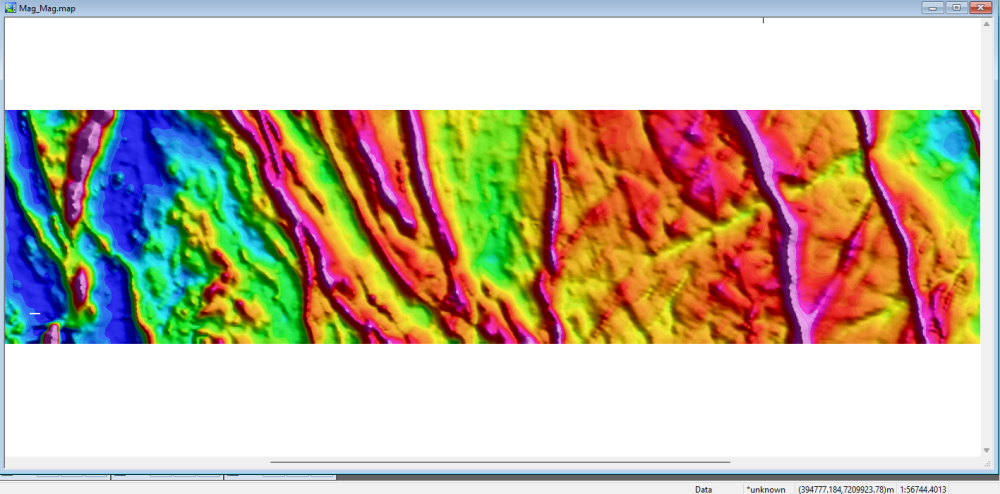 2
2 -
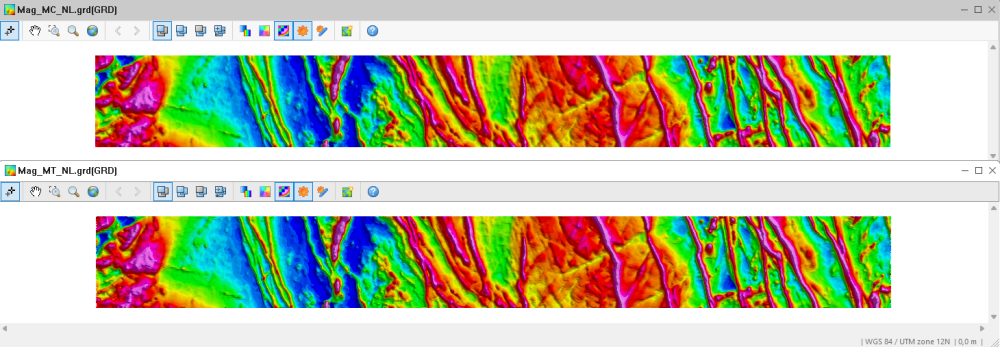
Thank you, Victor. I tend to default to multiple curvature gridding with my work and often forget to run a test gridding in the Multi-Trend method. This was a fantastic reminder of methods I rarely employ and an opportunity to hone my skillset. I agree that the east-west artifacts are directional noise remnants that were not fully levelled out of the dataset prior to gridding. As everyone above is showing, the multi-trend method with cell and blanking distance customization using the known line spacing makes an enormous difference in the quality of the data grids produced. Depending on the purpose of the survey I usually use these initial grids as a starting point to assess what story the data is telling us and apply additional filtering to help the untrained eye see what I am seeing in their datasets. This involves providing maps containing a base processing map such as the ones focused on in this session and a filtered processing map or two with feature enhancement to aid the untrained eye in visualizing the target. In this instance the use of automatic gain correction filtering further enhances the subtler feature trends in this dataset. I am choosing to share the automatic gain correction filtering that enhanced the visualization of the numerous countering linear trends, but there were other filters I tested such as the analytical signal filtering and log minimum filtering to determine which filters would be the most beneficial to understanding the story within this dataset without having a clear target.
Below I have a minimum curvature method grid using a cell size of 25 meters, blanking distance of 50 meters and the cells extended set to 10 (rather than the default setting to keep the edges clean) of the provided data that has had a non-linear filter applied to it. The identical gridding using the multiple trend method using a cell size of 25 meters, starting cell of 21.3 meters and defaults parameters is below.
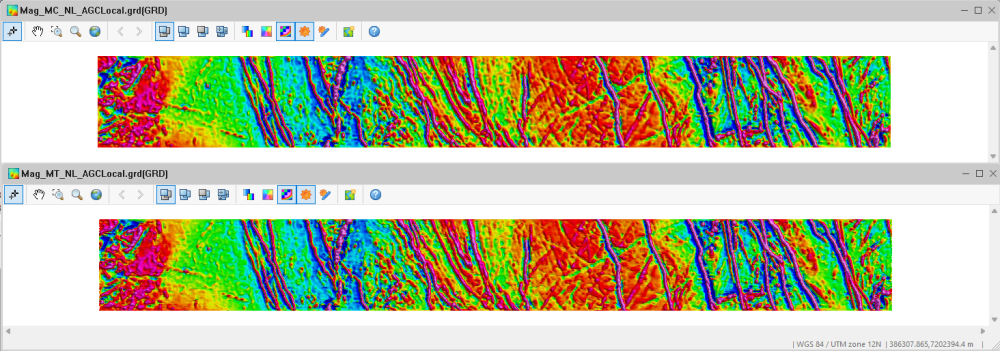
Next, I have applied a local amplitude automatic gain correction filter at the default window settings to enhance the non-background features. The identical filtering using the multiple trend method is below. I love how in this filtering you can see the way the geology rolls at east of center, and this filtering enhances the lower magnitude linear discontinuity trends in this area while preserving much of the unfiltered dataset.
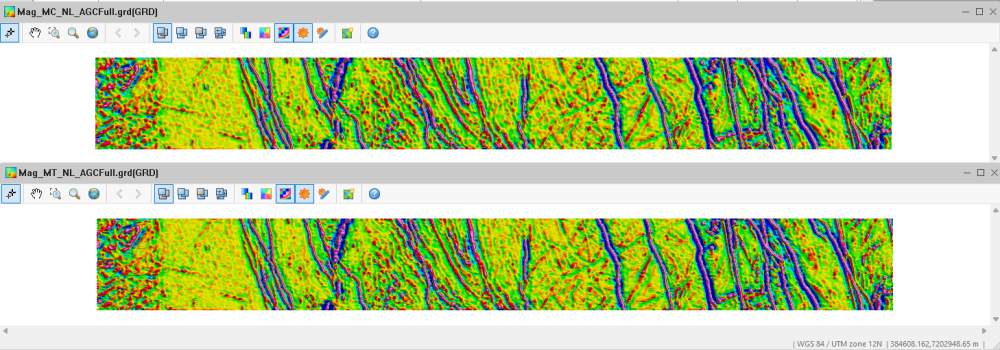
Finally, to fully visualize the trends I have added a grid using a full amplitude automatic gain correction filter at the default window settings to enhance the non-background features and displayed it in a normalized distribution with an expansion factor of 0.75. to reduce the background while visually enhancing the lower magnitude linear discontinuity trends in this area. The identical filtering using the multiple trend method is below.
 2
2 -
Wow! Thank you so much for participating in our challenge @LizBreitmeyer @MohamedAzmi1 @KonstantinosChavan1 @AlexStamp @MartinKrajnak . The examples you've shared so far are fantastic, it's great to see how you're applying the techniques learnt in the session.
Keep an eye on your email inbox. I've just sent through links to redeem your prizes 😁1




Categories
- All Categories
- 288 Community
- 16 Latest Releases
- 16 Member Spotlight
- 1.1K Products
- 565 Geology
- 538 Leapfrog
- 1 Volsung
- 26 Visible Geology
- 36 Data Management & Collaboration
- 14 MX Deposit
- 13 Central
- 9 Imago
- 136 Geotechnical
- 136 GeoStudio
- 332 Geophysics
- 321 Oasis montaj
- 1 Workbench
- SPIA
- 10 Res2DInv & Res3DInv
- 3 Evo
- 27 GX Developer