Issues exporting a volume to IFC format

PetraJavornik
Unconfirmed Posts: 1 New Member
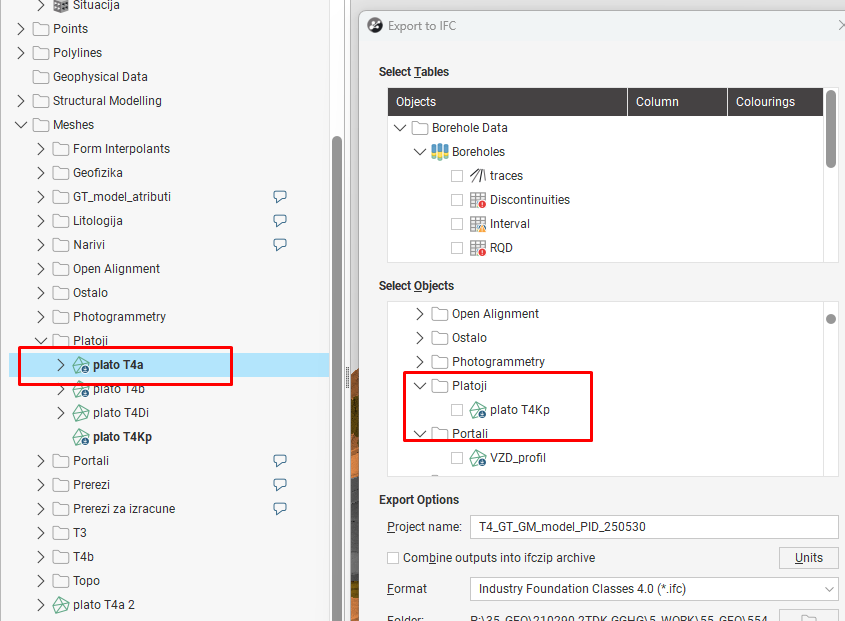
In Leapfrog Works, I want to export a 3D geological model to IFC and also include volumes in the same export. However, when I go to Menu → IFC → Export, the volume I want to export is not shown in the list.
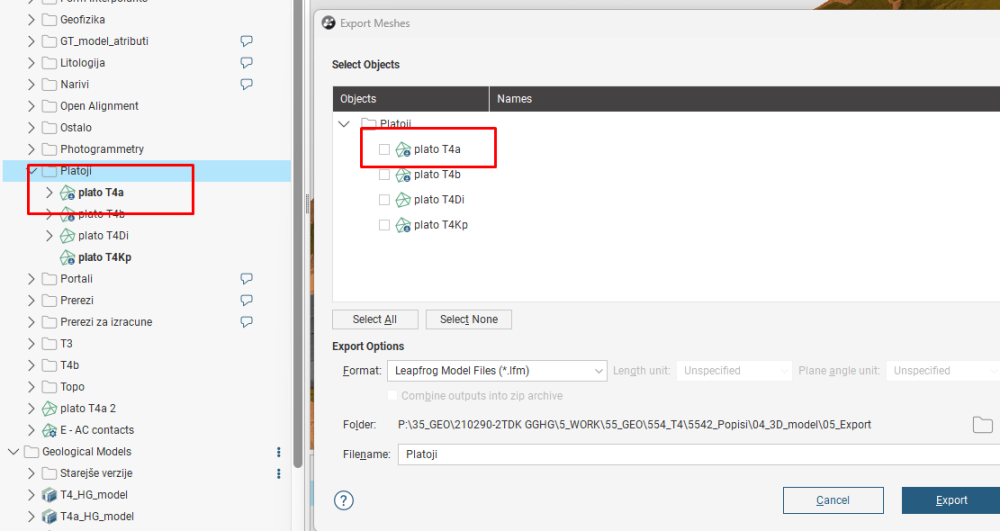
If I right-click on Meshes and use Export Meshes, I can export the volume to IFC, but this creates a separate IFC file. I would like to export everything into one single IFC file, not two separate ones.
Is this possible? Does anyone know where the problem might be?
0
Answers
-
We solved this one over at support, but for future reference like in this case it was due to open meshes: Workflow found here can solve it:
The only way is forward!0

Categories
- All Categories
- 288 Community
- 3 Get Started
- 16 Latest Releases
- 16 Member Spotlight
- 42 Learning
- 1.1K Products
- 565 Geology
- 538 Leapfrog
- 1 Volsung
- 26 Visible Geology
- 36 Data Management & Collaboration
- 14 MX Deposit
- 13 Central
- 9 Imago
- 136 Geotechnical
- 136 GeoStudio
- 332 Geophysics
- 321 Oasis montaj
- 1 Workbench
- SPIA
- 10 Res2DInv & Res3DInv
- 3 Evo
- 27 GX Developer