Just released in Visible Geology: Strike & Dip module, lensoid shapes, and undo/redo!

Hey Visible Geology Community! 👋
We’ve heard your feedback and are delighted to share a fantastic new module and other improvements that you can start using today.
Here is a closer look at what’s new in Visible Geology:
The brand-new Strike and Dip module 📐
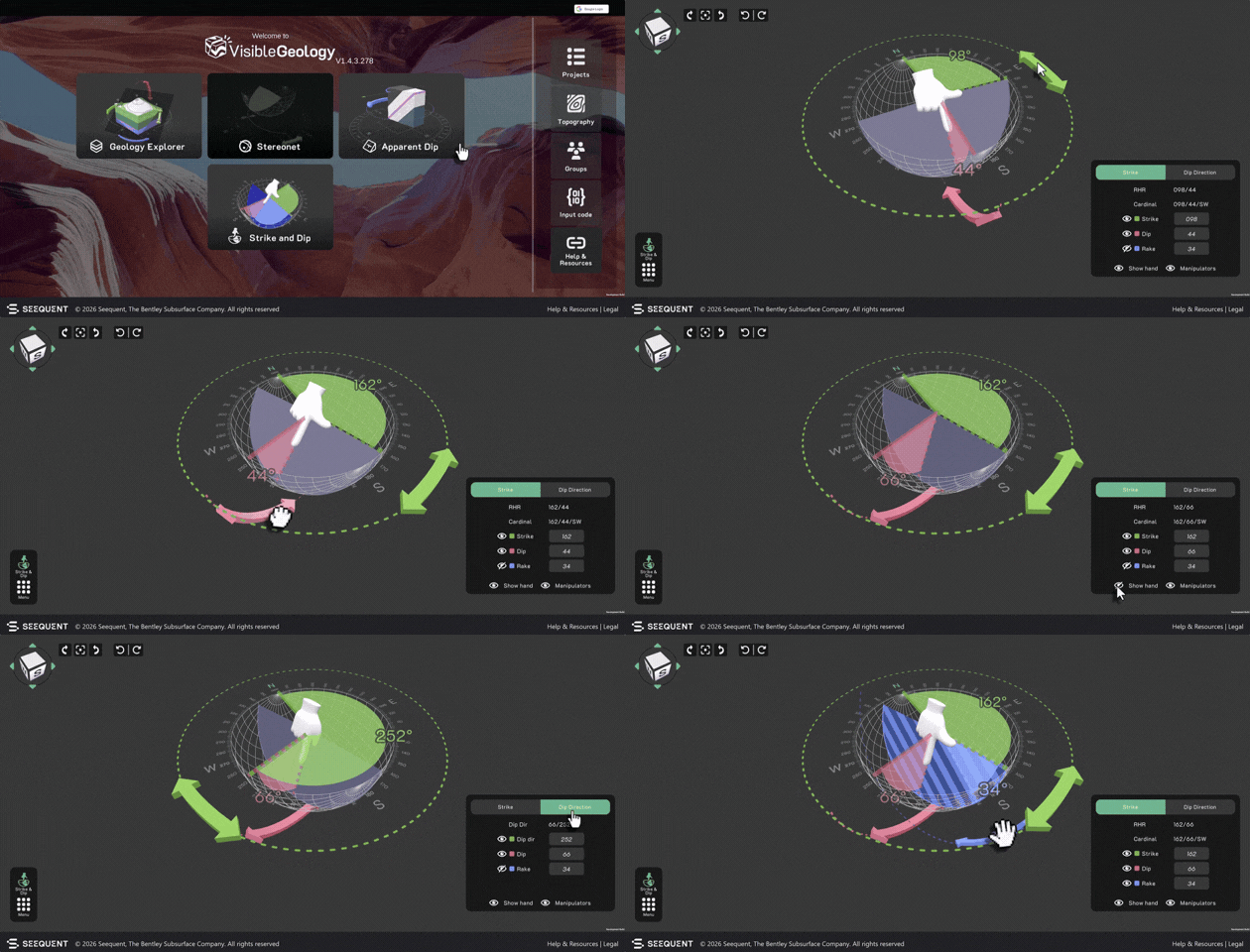
We know that translating different planar orientation conventions can be confusing. That’s why we’ve built the Strike and Dip module! It supports strike/dip (with a visible 3D hand to make the right-hand rule intuitive), dip /dip direction, and cardinal notation. Toggle between notations and adjust on-screen handles to see your 3D models update in real time. This is perfect for classroom demos or student self-led study.
Lensoid shapes in Geology Explorer 🟢
You can now create more customised geological models with lenticular (lensoid) shapes inside the Geology Explorer module. This new event allows you to stretch, flatten, cut, and deform ovals to represent natural alluvial deposit lenses, weathered zones, or igneous intrusions.
Undo & redo is here! 🔄
No more starting from scratch after an accidental click. We’ve added full undo and redo support across all modelling and visual features, including Geology Explorer, Stereonet, Construct, Topography sculpt, and Apparent dip. You’ll find new undo/redo buttons right on the screen, or you can use your favourite keyboard shortcuts (Ctrl+Z / Ctrl+Y).
We would love to see how you use these enhancements in your teaching and learning.
Open Visible Geology, give them a spin and share your thoughts, classroom wins, or model screenshots with us in the comments below. Which one are you going to try out first? 👀
Categories
- All Categories
- 288 Community
- 3 Get Started
- 16 Latest Releases
- 16 Member Spotlight
- 42 Learning
- 1.1K Products
- 565 Geology
- 538 Leapfrog
- 1 Volsung
- 26 Visible Geology
- 36 Data Management & Collaboration
- 14 MX Deposit
- 13 Central
- 9 Imago
- 136 Geotechnical
- 136 GeoStudio
- 332 Geophysics
- 321 Oasis montaj
- 1 Workbench
- SPIA
- 10 Res2DInv & Res3DInv
- 3 Evo
- 27 GX Developer