Clone the Grid Column in Coordinates Table


Hi,
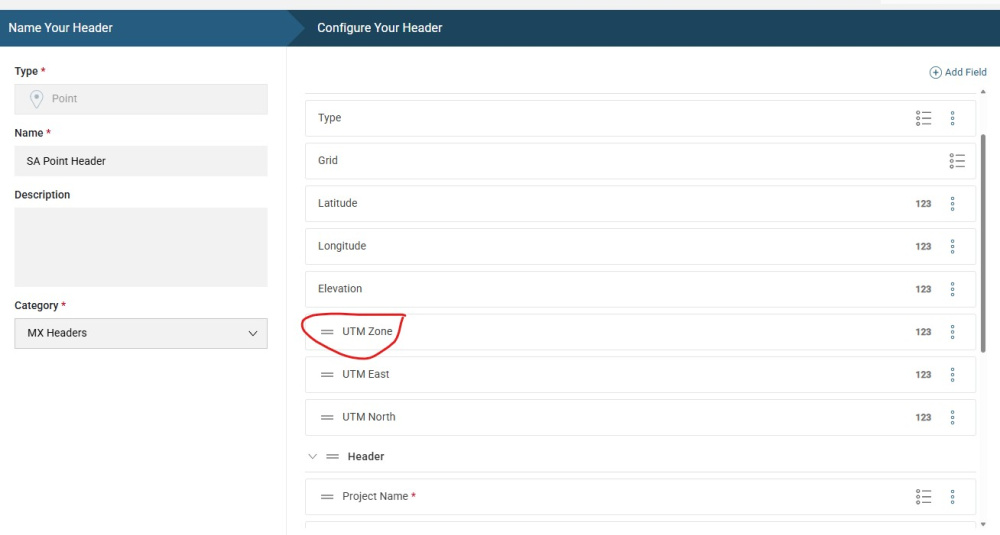
In the Coordinates table, I have created 3 columns UTM Zone, UTM East and UTM North. In the UTM Zone, I would like to show the list of Grids. But I noticed that the Grids list is not visible while configuring the UTM Zone column. Is there any way to clone the Grid column?
Also, once I select the UTM Zone, how to populate the UTM East and UTM North coordinates automatically?
Thanks,
Praveem
Comments
-
@NimbusInsights @AmarjargalBatErdene @GeorgeWhitehouse have any of you populated the UTM coordinates automatically and can provide steps?
0 -
@PrachiChitkara It looks like we're assisting the customer at the moment in a case.
A workaround is to create a list containing the Grid values manually and configure your custom columns to read from that list2 -
@GeorgeWhitehouse Thanks for the solution. May I know the formula to populate UTM coordinates in the respective columns?
0 -
@PraveenKumar1 I'm not familiar with the formula myself, unfortunately, but if you follow up with Kamal from your existing case, he might be able to help further
1 -
Sure. I will ask Kamal. Thanks
0 -
Hi Praveen,
I hope you are doing well.
Instead of creating a new custom column for the zone, you can use the existing built-in grid columns. It has most of the coordinates system used in the word. If the one you are looking for is not listed please contact support@seequent.com with the EPSG code from you grid and we will add it for you.
Using the grid column has the benefit of being able to use the coordinate transformation tool when exporting data.
Otherwise, if the correct grid is not specified in the system column, the transformation tool cannot be used.
Here is an article of how to add a grid.
Cheers
Pablo
2 -
Hi Praveen,
If you would like to convert into UTM84, while exporting the data MX Deposit converts between Grids.
In the Export window specify your grid, then all the convertible coordinates would be converted into the defined Grid and you will see extra Grid, Easting and Northing with "converted." suffix before them.
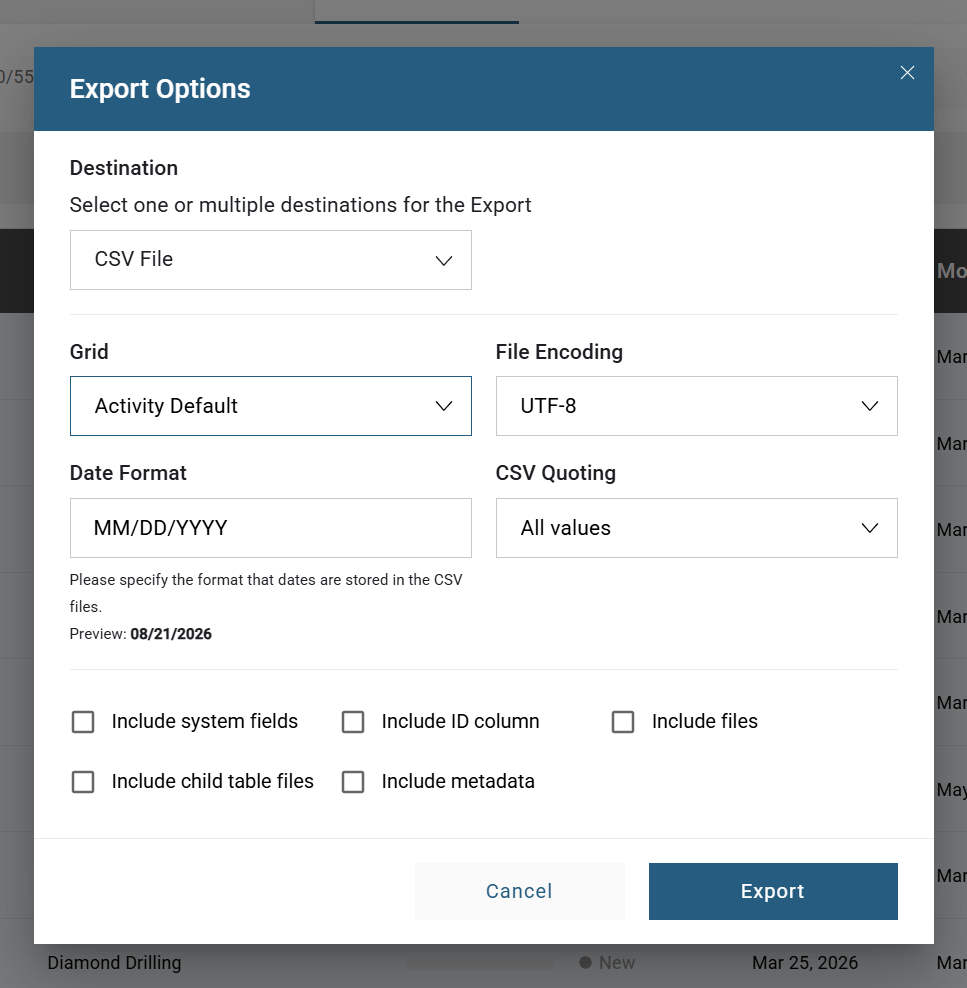
I do not think these converted Easting, Northing and Grid will be visible in the MX Deposit itself.
For this reason, manually adding UTM_Easting and UTM_Northing would be worth it. However, you have to define the calculation by yourself.
Experts,
Please correct me if I am wrong.
Cheers,
Amaraa
1


Categories
- All Categories
- 6 Community
- 3 Get Started
- 16 Latest Releases
- 15 Member Spotlight
- 40 Learning
- 3 Products
- 1 Geology
- 535 Leapfrog
- 1 Volsung
- 26 Visible Geology
- Data Management & Collaboration
- 14 MX Deposit
- 13 Central
- 9 Imago
- Geotechnical
- 136 GeoStudio
- 1 Geophysics
- 319 Oasis montaj
- 1 Workbench
- SPIA
- 10 Res2DInv & Res3DInv
- 3 Evo
- 26 GX Developer