Distance between surfaces


Is there any possibility to check and/or show distance between two surfaces?
Comments
-
Yes, create a Distance Function (Numeric Models > new distance Function) for one of the surfaces then evaluate the other surface against it (right click object name > Evaluations). You can then colour by distance, look at distance statistics etc.
1 -
Great, that's exactly what i looked for! :)
Thanks <30 -
Eh…
I checked this method and i've got really strange values.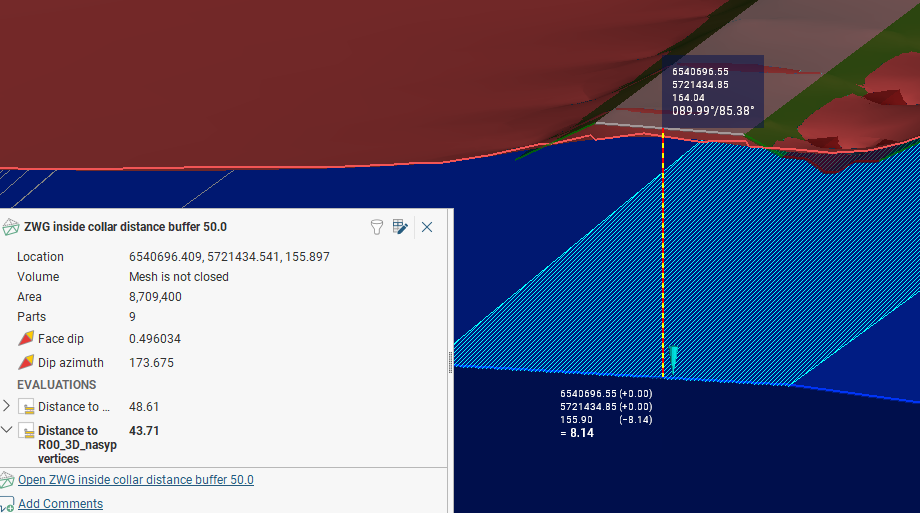
Model gave me 43.71 m but i see with a ruler thats should be around 8 m…
0 -
To be honest, I would export the points from the one surface and the points from the other and just run a quick analysis with AI or something. There would be setups in LF, and I did do it in the past, when building thickness models, if you wanted to do that , yes, I would need to dip and provide you with the workflow.
0 -
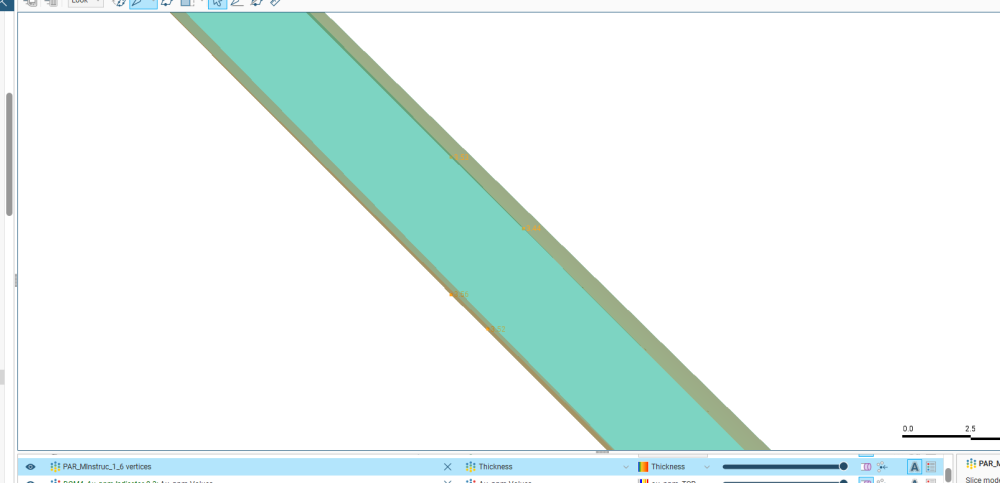
Another trick you can maybe do is get the points ( top and bottom) and create a quick Vein, the vein has a thickness option
0 -
-
Yeah, i extracted vertices and evaluated then according to surface. That works much better.
Your trick with vein also is quite interesting. Thanks for this! :)1


Categories
- All Categories
- 300 Community
- 3 Get Started
- 17 Latest Releases
- 16 Member Spotlight
- 42 Learning
- 1.1K Products
- 565 Geology
- 538 Leapfrog
- 1 Volsung
- 26 Visible Geology
- 36 Data Management & Collaboration
- 14 MX Deposit
- 13 Central
- 9 Imago
- 136 Geotechnical
- 136 GeoStudio
- 332 Geophysics
- 321 Oasis montaj
- 1 Workbench
- SPIA
- 10 Res2DInv & Res3DInv
- 3 Evo
- 27 GX Developer