Title Block Layout Template

Hi, I would like to customize the layout of the title block for a 11x17 cross-section. I am unable to import our companys GIS (.pagx) file because Leapfrog seems to only support .dwg or .dxf file type. Has anyone created a title block with site map, ledgend, scale, figure title, etc. that they would be willing to share with me? Also, any advice on adding a company logo to this title block?
Answers
-
Hey Laura,
If you already have a GIS title block set up, I’d suggest checking whether your GIS software can export it to a CAD format. Many GIS packages can do this quite easily.
In the link below, I’ve included an example DWG title block. In Leapfrog, you can add your company logo by right‑clicking the title block and selecting Add Image.
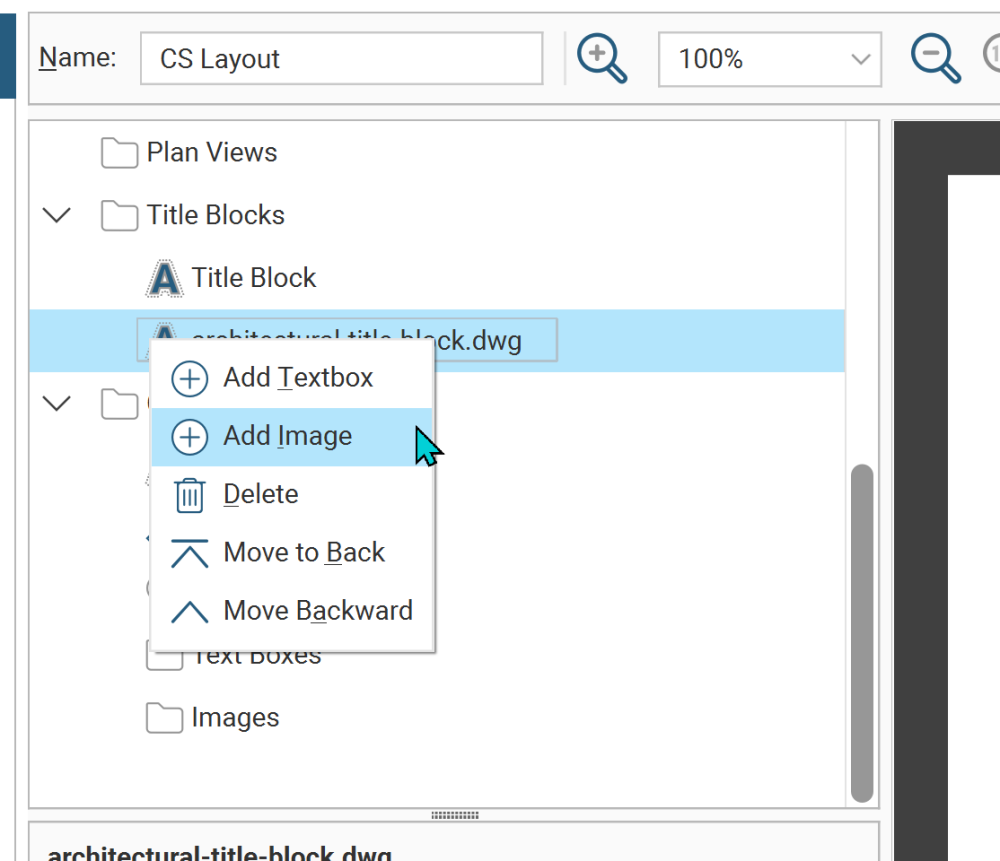
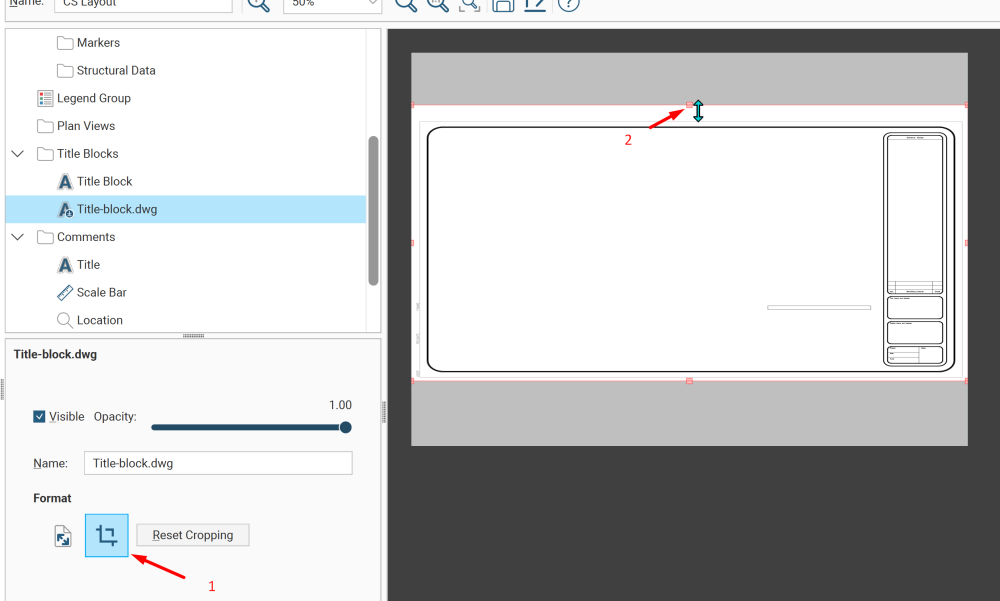
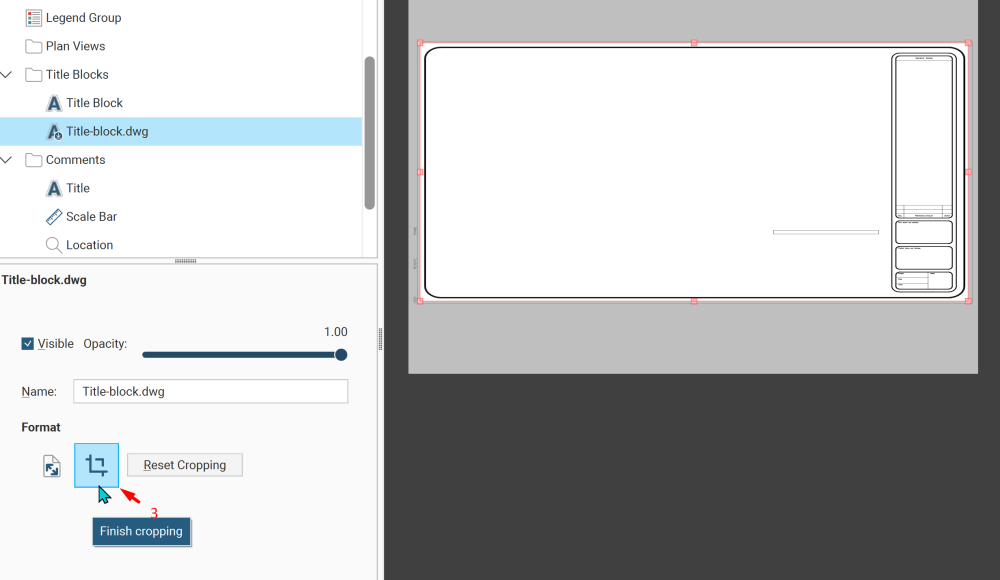
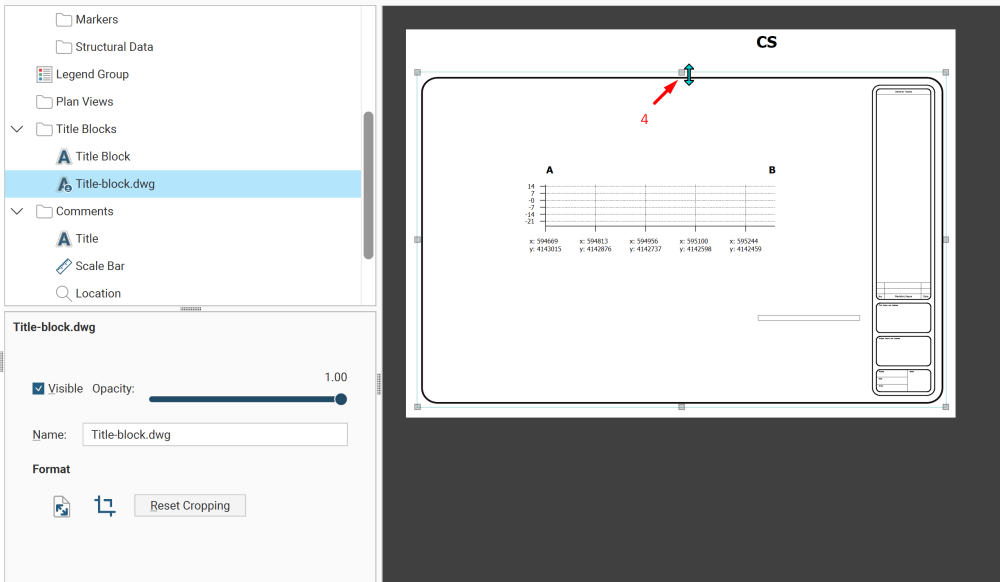
When Leapfrog imports a title block, it converts it to an image, so you may need to trim the surrounding white space to fit the page. Generally, you’ll need to:
- Import the title block
- Click the Crop tool
- Adjust the boundary
- Click Crop again to confirm
- Resize the title block to suit your page
 2
2

Categories
- All Categories
- 288 Community
- 3 Get Started
- 16 Latest Releases
- 16 Member Spotlight
- 42 Learning
- 1.1K Products
- 565 Geology
- 538 Leapfrog
- 1 Volsung
- 26 Visible Geology
- 36 Data Management & Collaboration
- 14 MX Deposit
- 13 Central
- 9 Imago
- 136 Geotechnical
- 136 GeoStudio
- 332 Geophysics
- 321 Oasis montaj
- 1 Workbench
- SPIA
- 10 Res2DInv & Res3DInv
- 3 Evo
- 27 GX Developer