Dynamic Y-scale on sections query

If there is a dramatic difference in relative base and top elevations across a series of sections, how to you automatically apply a template to a section group such that it automatically adjusts?
I.e. on any given section there is a relevant depth range of around 35m, but the absolute elevation range over which that 35m could sit is approximately 100m.
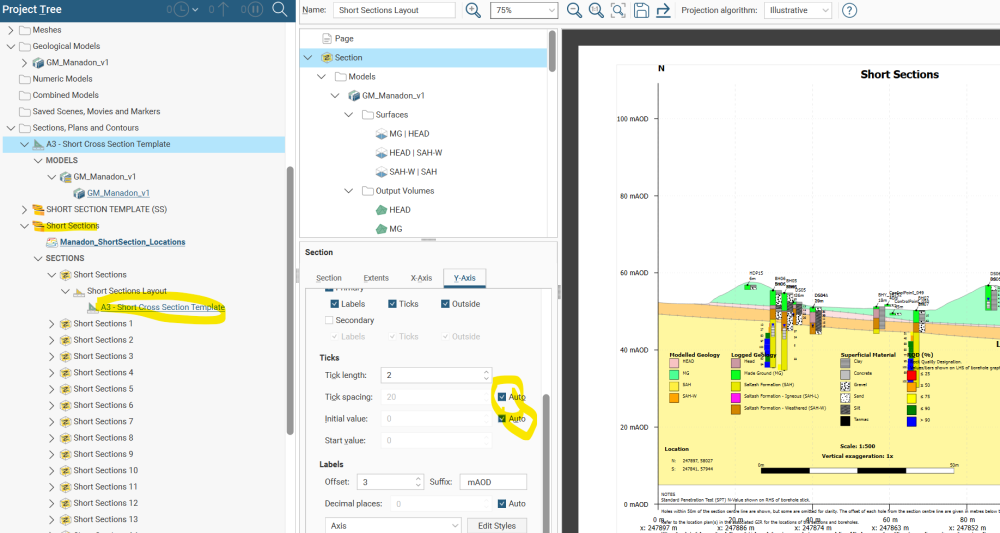
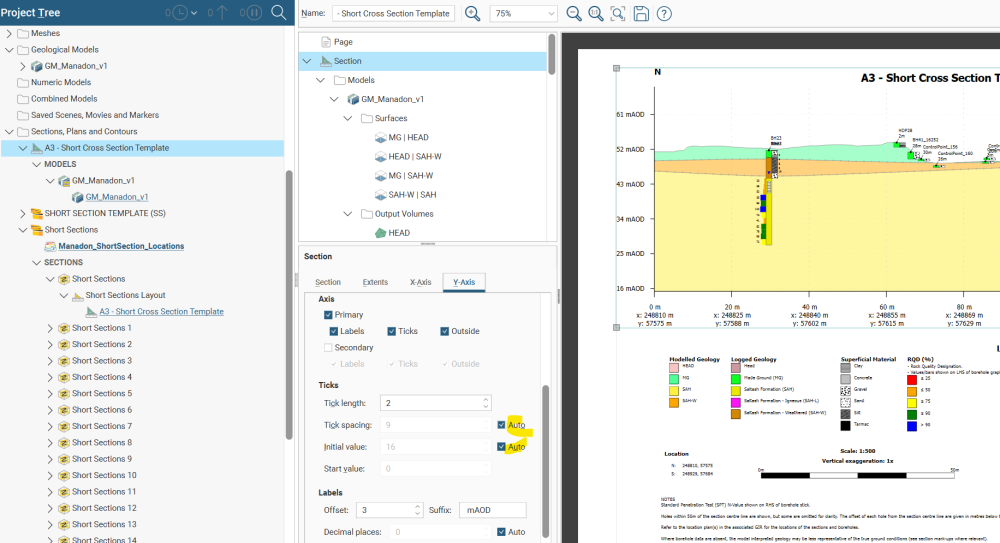
The default behavior is that the Y-axis goes from the highest to the lowest elevation, leaving excessive white space at the top, and model space at the base. I have tried this with the "auto" Y axis, but this does not seem to work.
Answers
-
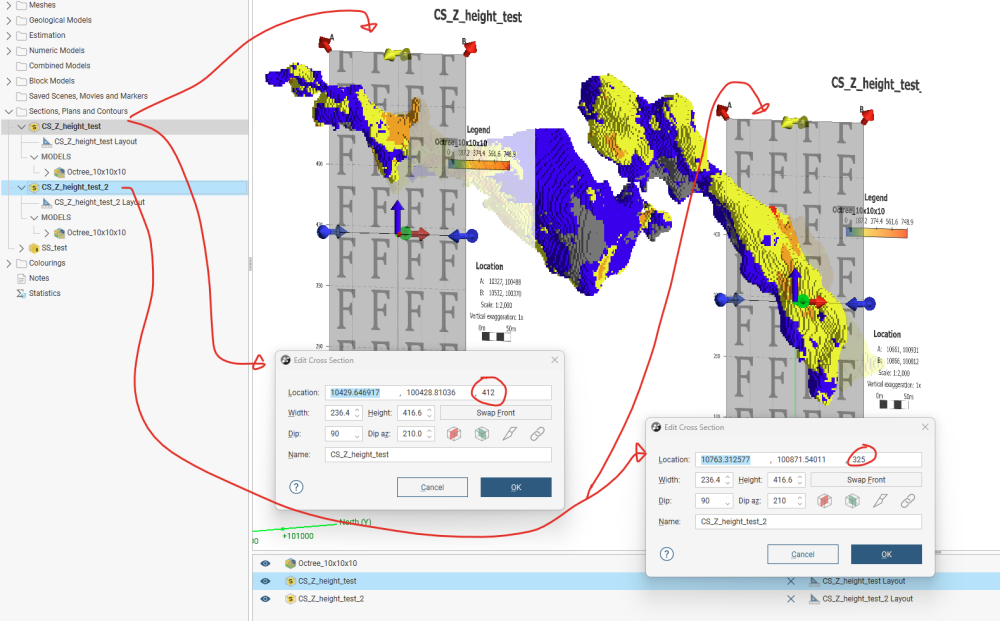
Hi @JoshJones as long as your sections are not Serial Sections, you can edit each section and adjust the centre Z coordinate to best represent where you want it to be. The template will follow:
 1
1

Categories
- All Categories
- 288 Community
- 3 Get Started
- 16 Latest Releases
- 16 Member Spotlight
- 42 Learning
- 1.1K Products
- 565 Geology
- 538 Leapfrog
- 1 Volsung
- 26 Visible Geology
- 36 Data Management & Collaboration
- 14 MX Deposit
- 13 Central
- 9 Imago
- 136 Geotechnical
- 136 GeoStudio
- 332 Geophysics
- 321 Oasis montaj
- 1 Workbench
- SPIA
- 10 Res2DInv & Res3DInv
- 3 Evo
- 27 GX Developer