
Cross-section Challenge: Put what you’ve learned into practice!


I’ve been thinking about how you can put some of the learnings from today’s Mastery Session into practice.
During the session, I’m going to take you through how to create meaningful and detailed cross-sections from your Leapfrog models for inclusion in reports and presentations – and after the session, I want you put these skills to the test and have some fun with a challenge!
Here’s how you can participate in the challenge:
- Get the demo data: Use the same demo data I used during the Mastery Session. Download it here:
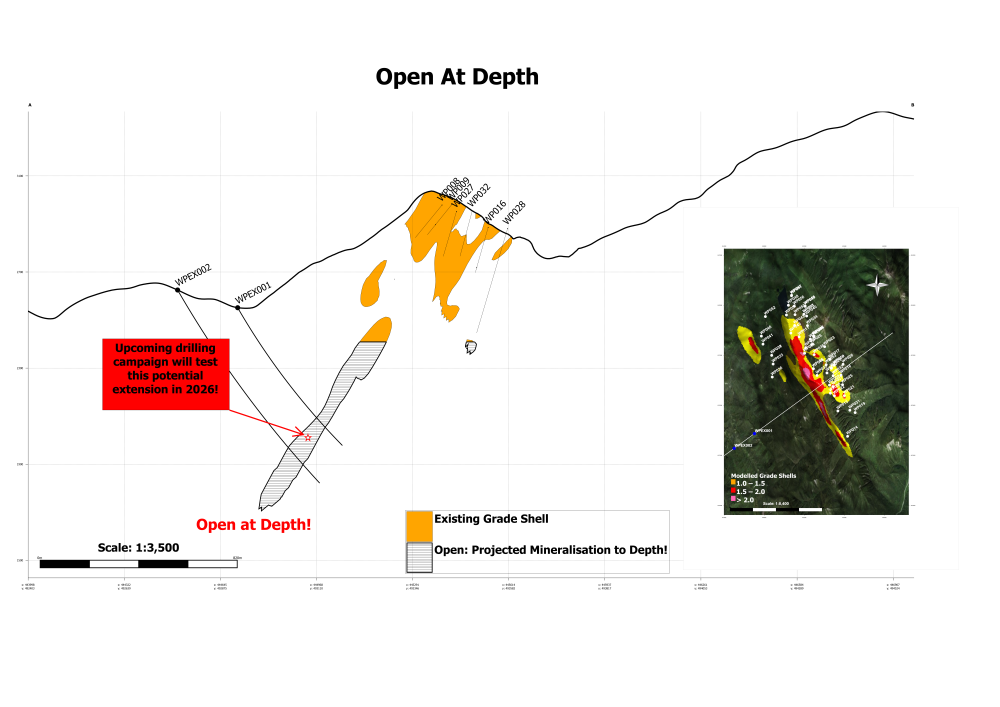
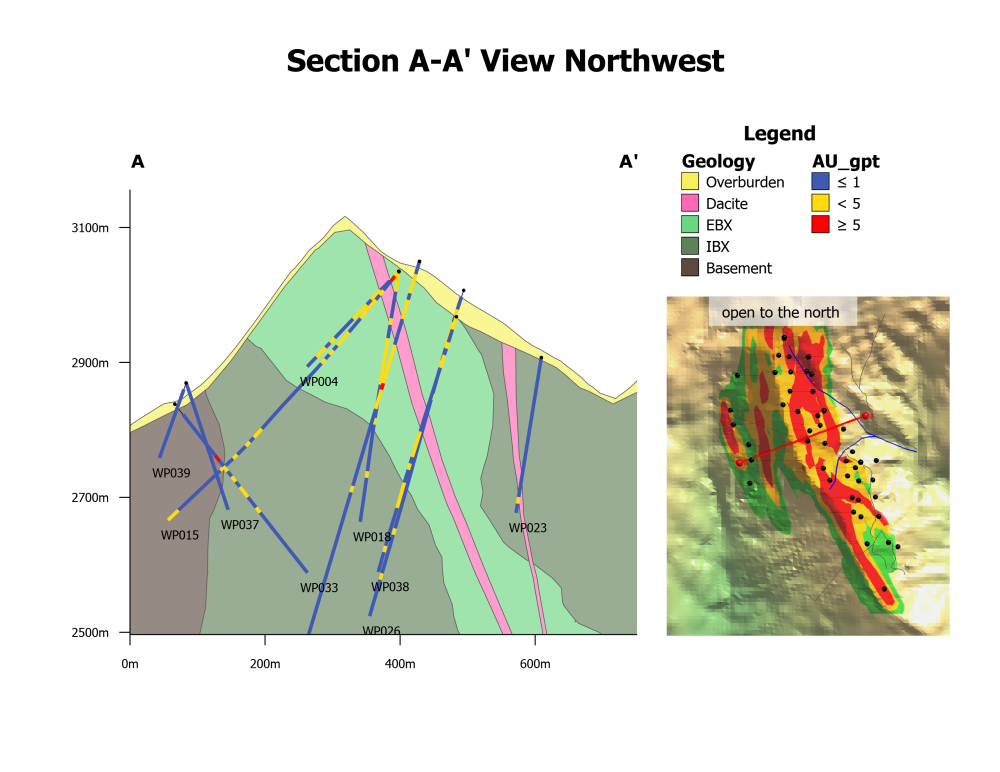
- Create your cross-section: Get creative and build your own. Focus on making it meaningful, clear and detailed.
- Share your work: Post a screenshot of your cross-section in the comments on this post!
We’ve got some awesome Seequent merchandise packs up for grabs for the first 20 cross-sections posted. We’re looking for cross-sections that are visually compelling and easy to understand.
Give it a go! I’m excited to see what you come up with.
Comments
-
-
Awesome work Jonathan!
2 -
Great webinar yesterday! First time I learned about using Rendered Maps and Markers.
 5
5 -
Thanks Shaun, very insightful session. I will be using markers a lot!
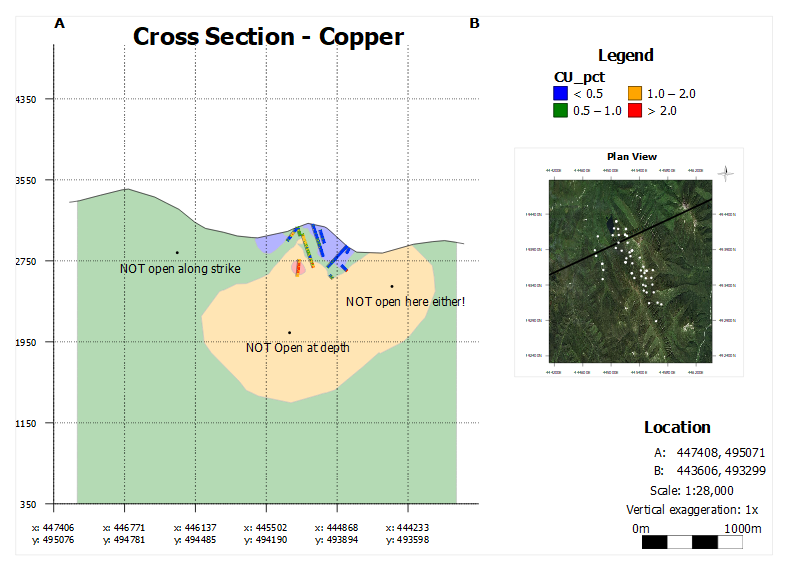
My indicator based section below:
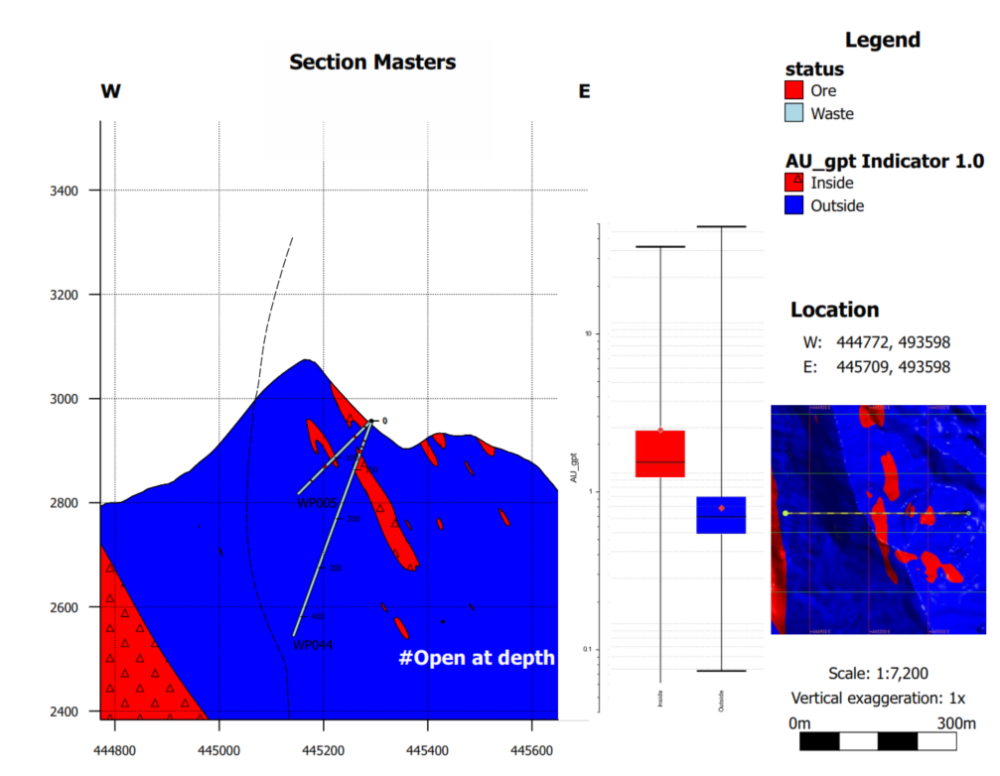
I created some grade intersections using the economic composite tool, how do I get these to show in the section view?
3 -
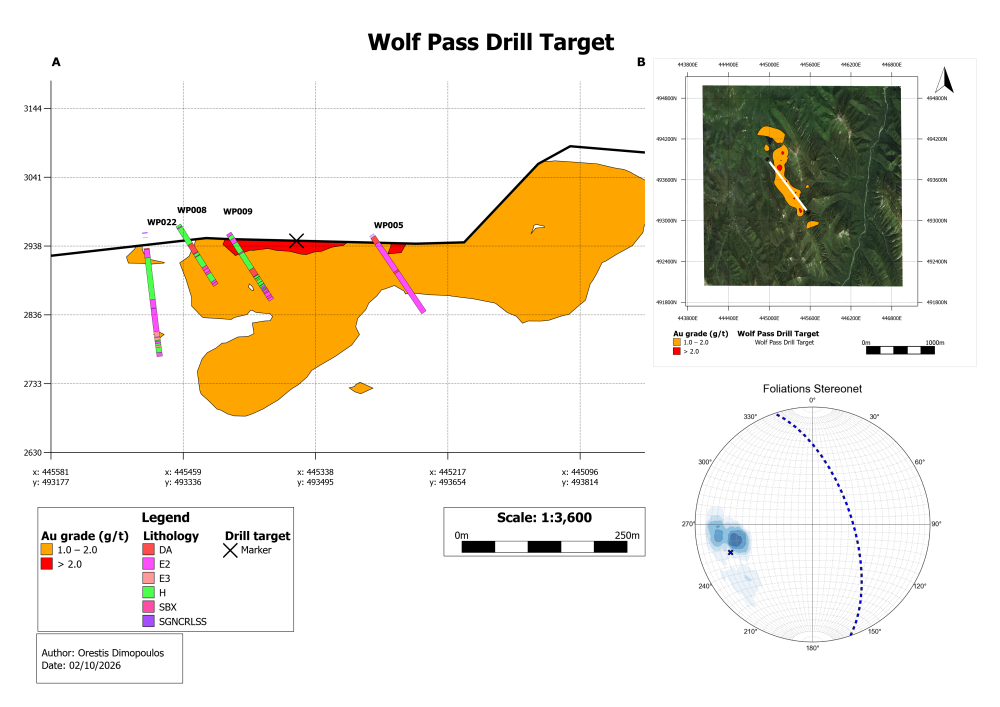
Thank you Shaun and the rest who made the seminar happen, it was very insightful. I'm looking forward to the next one! I hope that the cross section I posted is ok, I had lots fun making it.
4 -
Hi Shaun, Thank you for the informative and valuable session!
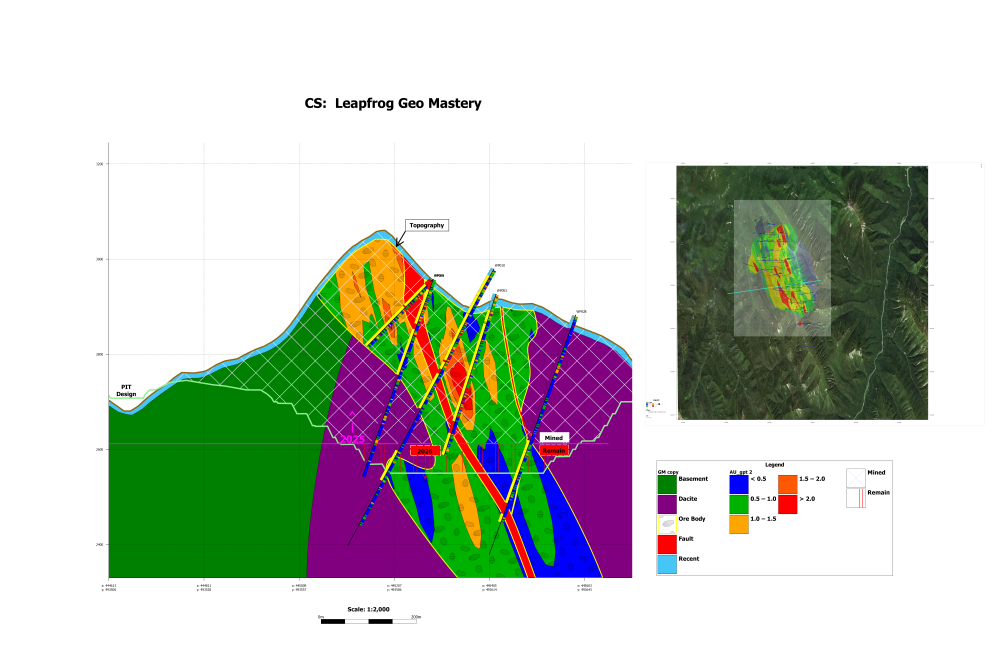 3
3 -
Some really great sections coming through guys! There is some pretty sweet merch ready to send to you!
2 -
@JonathanCirelli @GabrielAliaga @SimonRobinson1 @OrestisDimopoulos @PhamVietThai 👏🏼 Thank you so much for participating in the challenge and submitting your cross-sections! It's so cool to see!
👀 Keep an eye out for an email from me shortly so we can get your reward packs to you.2





Categories
- All Categories
- Community
- 16 Latest Releases
- 15 Member Spotlight
- Products
- Geology
- 535 Leapfrog
- 1 Volsung
- 25 Visible Geology
- Data Management & Collaboration
- 14 MX Deposit
- 13 Central
- 9 Imago
- Geotechnical
- 136 GeoStudio
- Geophysics
- 319 Oasis montaj
- 1 Workbench
- SPIA
- 9 Res2DInv & Res3DInv
- 3 Evo
- 25 GX Developer