Selecting Slip Surface "Entry Exit" or Automatic gives huge difference FOS.

Hi,
Anyone knows about Slip Surface selection in Project Information page giving us few options of which One is Entry-Exit and other is Autaumatic. When I selected Entry Exit close to the edge of the slope I got FOS 4.79 and choosing Autaumatic option in project setting page, then running the calcs again I got FOS 30. The slope/w should give us worst FOS result when selected slip surface as Autaumatic but it did not.
Looks like the software having an issue. Need to rectify or I am understanding different. Please advise if anyone has same experience and Geo-studio is aware of this issue.
Comments
-
@JigneshBPatel @SamHarris @CarlFredrikStorm @ShishirKumarSikderAmdo any of you have experience with this?
0 -
This might be due to your settings. I haven't encountered this issue so far. If possible, please provide the source file for better confirmation of the problem. Thank you.
1 -
-
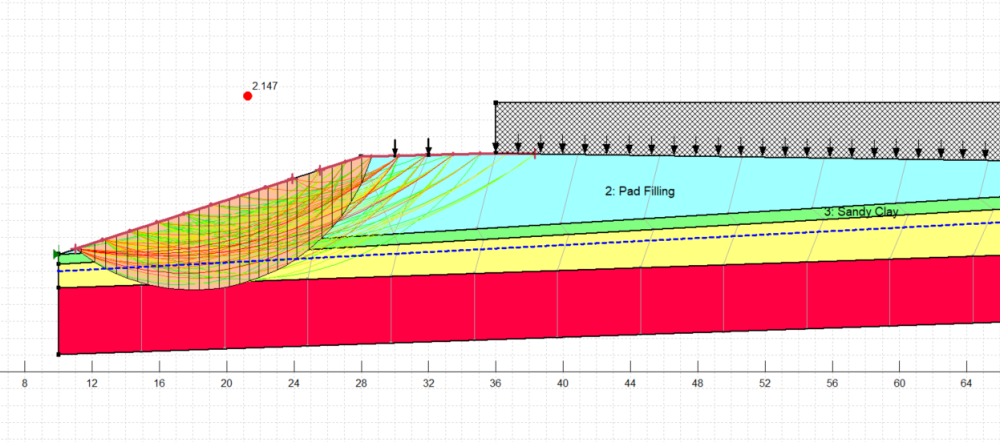
FOS = 2.147 with Entry and Exit Slip line drawn as Above.
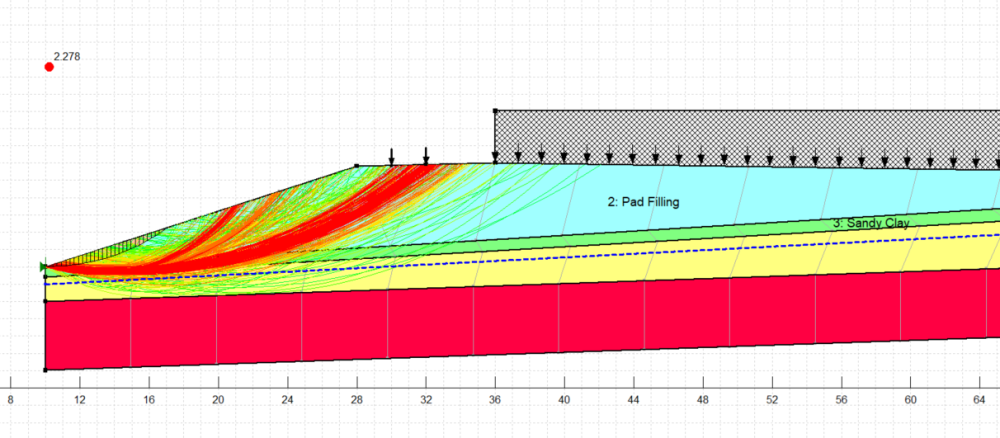
FOS - 2.278 with Automatic slip line drawn as above (you can see that there are no nods of entry-exit).
Automatic slip line should give worst results, so I have doubt about this software usign Automatic clip line. Geo studio should remove the bug and attend the issue. Or please advise what I am doing wrong.
0 -
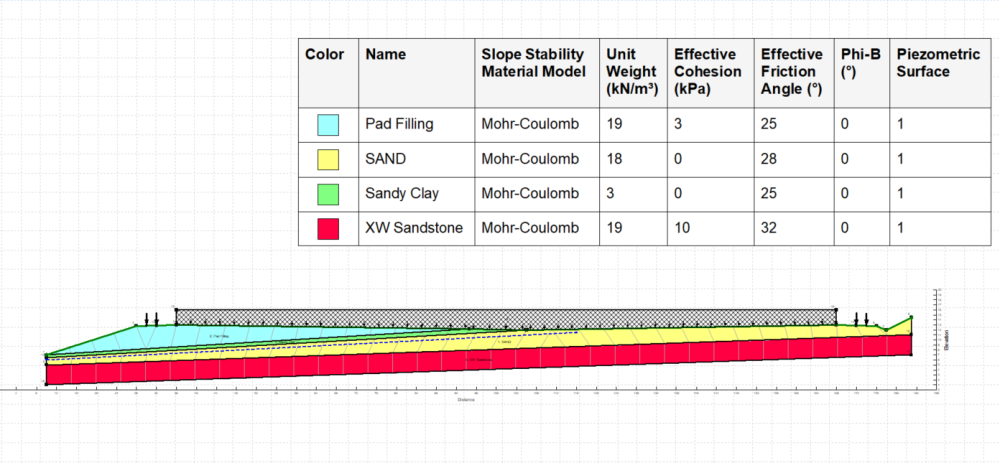
This is the model for above two analyses
0 -
I think you should compare the magnitude differences of the critical slip surface results under different search methods. You should learn the operations through the Seequent introductory system. This is not a bug, but a lack of understanding of GeoStudio.
0 -
Hi Sanjay,
In the image you sent of the analysis using the automatic search algorithm with the FOS of 2.278, it does not appear that you have selected the critical slip surface. Please make sure you are automatically selecting the critical slip surface using the toggle in the Slip Surface window.
Otherwise, I have a few modifications for you to try with your analysis. Firstly, the slope you are considering the stability of is right at the edge of your domain. I would extend the domain to the left to incorporate the material to the left of the end of the slope.
Which automatic search algorithm are you using? In the latest version of GeoStudio, there are three options available which will all produce slightly different results, as the optimization algorithms for each work slightly differently. I would suggest cloning your analysis and trying out each of the different search methods to see how the results compare. If you find that the results are still unsatisfactory, you can change the number of searches you are allowing by increasing the numbers in the Slip Surfaces tab under the automatic search selection.
Thanks,
Kathryn1 -
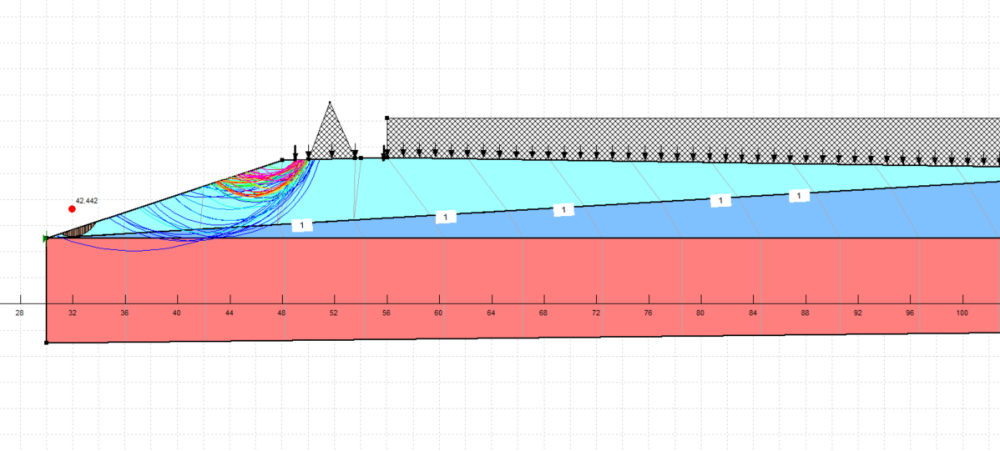
Hi Kathryn,
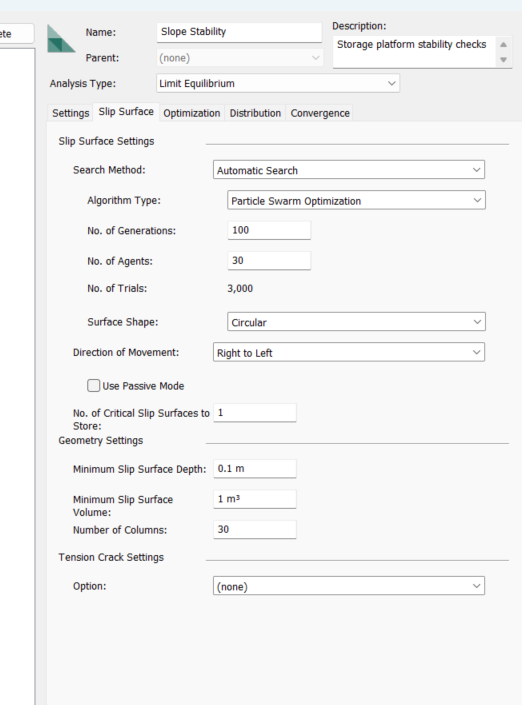
Thanks for your suggestion. Above FOS 42.442 is after critical slip surface box ticked.
0 -
 0
0 -
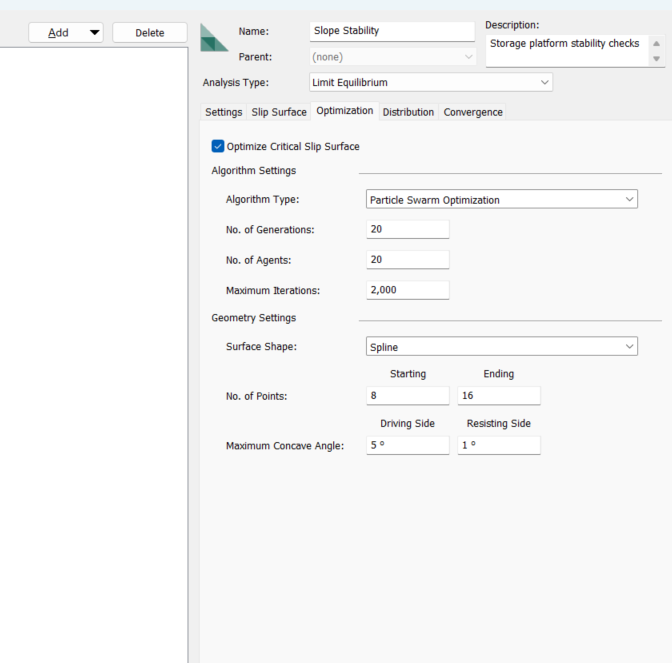
Please advise what is wrong?
0 -
You can upload the GeoStudio file by compressing it into a zip archive. Judging from your screenshot, you didn't understand Dr. Kathryn's advice. I suggest you watch Seequent's tutorial videos. Creating so many questions without understanding the reply is pointless.
0 -
Sorry for the trouble. I have watched the videos. I still not understand what wrong and whatever suggestion you have made did not worked. I gave up.
0 -
Hi
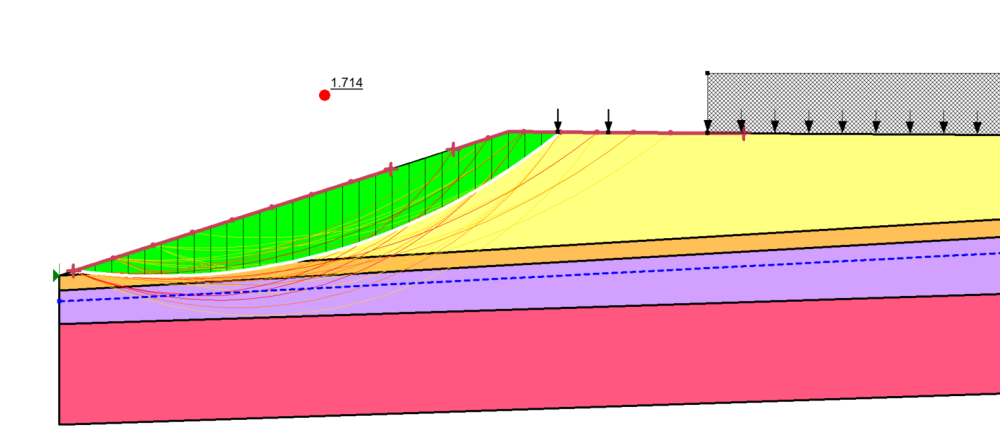
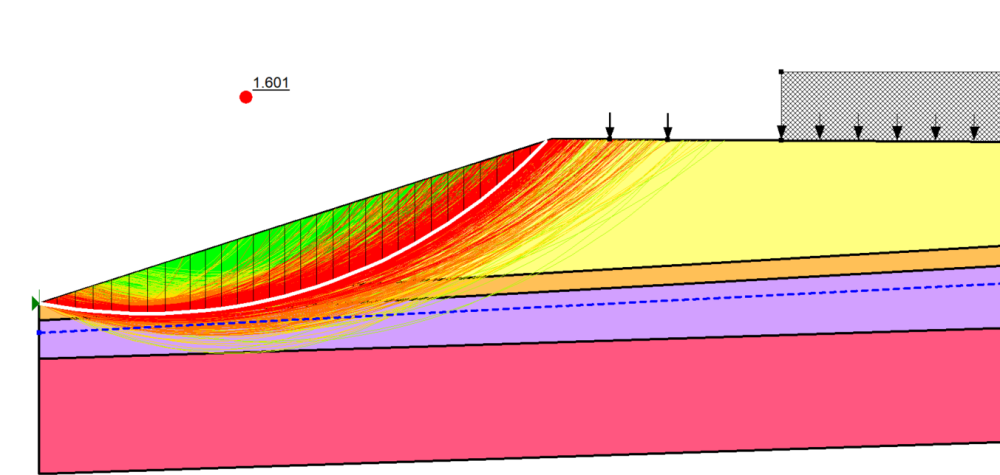
I tried analyzing the data using the limited information you provided, and the results met expectations; the problem you mentioned did not occur. Perhaps you could further explore GeoStudio.
 0
0


